How to Connect to a GE MIF Relay
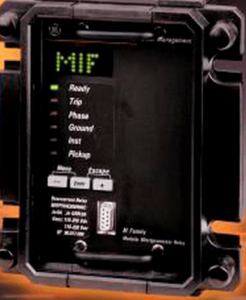
MIF: Cable: 9-pin to 9-pin RS-232 Straight Through Software: GE_NESIS M+PC – Software Default Settings Connection: Baud Rate: Direct Connection Port: 1 (Varies by computer) Parity: No Parity Data Bits: 8 Stop Bits: 1 Passwords & Connection Info Software Username: “” (Blank) Password: 7169 Slave Address: 1 Unit Password: 1
How to Connect to a GE LPS Relay
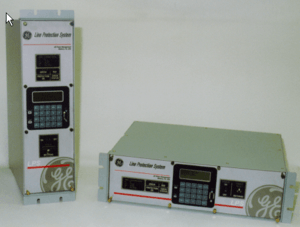
GE LPS Cable: 9-pin to 9-pin RS-232 Null Modem Software: EnerVista ALPS/LPS/LPS-O Setup Software Default Settings Unit ID: 0000 Baud Rate: 9600 Data Bits: 8 Stop Bits: 1 Parity: None Break Signal: Do Not Select Duration of Break: 0 Phone No: “” (Blank) Auxiliary Phone: “” (Blank) Connection: RS-232 Switch
How to Connect to a GE MIV Relay
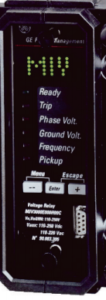
MIV: Cable: 9-pin to 9-pin RS-232 Straight Through Software: GE_NESIS M+PC – Software Default Settings Connection: Baud Rate: Direct Connection Port: 1 (Varies by computer) Parity: No Parity Data Bits: 8 Stop Bits: 1 Passwords & Connection Info Software Username: “” (Blank) Password: 7169 Slave Address: 1 Unit Password: 1
How to Connect to a GE DGP Relay with Testing Tips
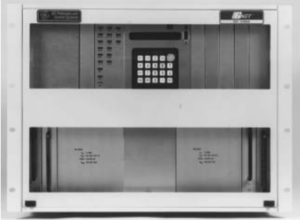
DGP: Cable: 9-pin to 9-pin RS-232 Null Modem Software: EnerVista DGP Software Default Settings Unit ID (Address): 0 Real-Time Data Update rate: 2 Granular Timeout: 150 No. of Retries: 5 Switch Code: Termination Code: Baud Rate: 9600 (or 2400) Parity: None Stop Bits: 1 Data Bits: 8 Modem Init String:
